
contact@lazyridabeats.com


How To Make Rap Beats \/ Rap Instrumentals In Fl Studio
Open your FL Studio. I use FL Studio 10 – this is my favorite version.
First, you need to choose a tempo of the beat you want to produce… (RED). You can change tempo by using the left mouse button and moving the mouse up or down, or you can right-click on the tempo bar and tap tempo or choose from the list.
The Blue color is your sample/loop library. You can export samples there and you them to your advantage. Green is a playlist where you will place all your patterns or samples to arrange your rap instrumental.
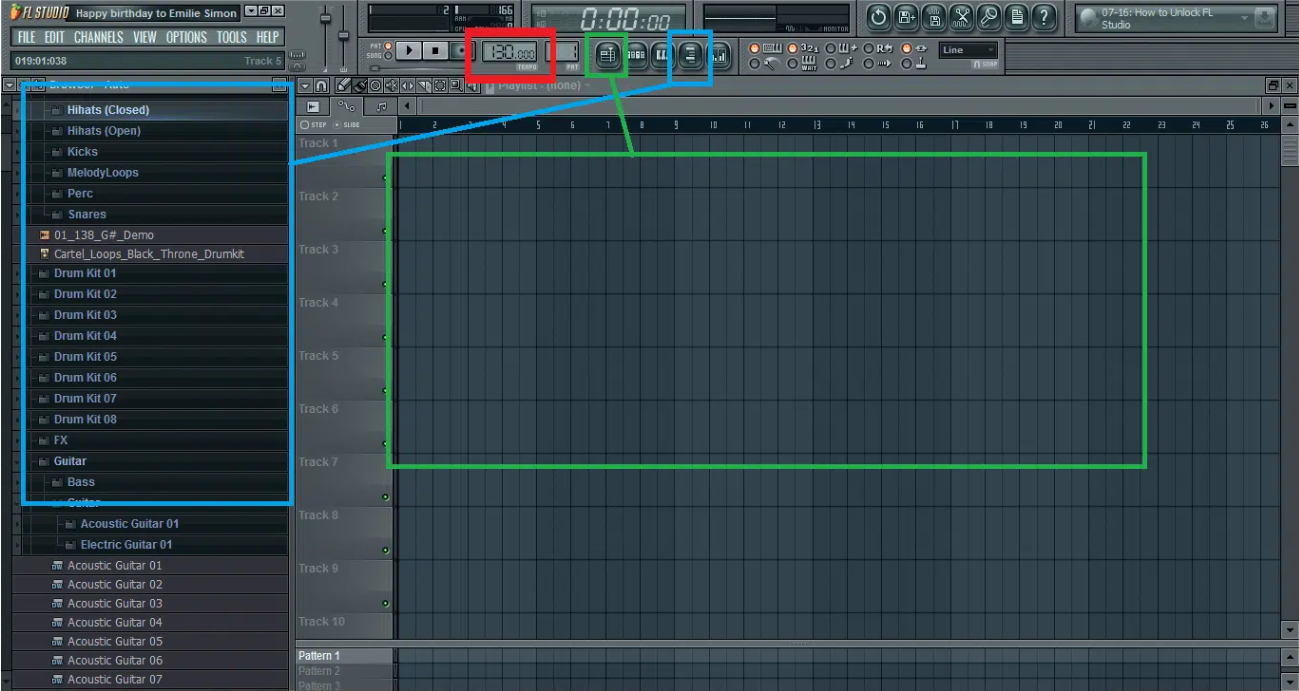
Ok, now with your tempo chosen, we can start creating a simple drum pattern.
Open your drum pattern panel (YELLOW). It should look like this:
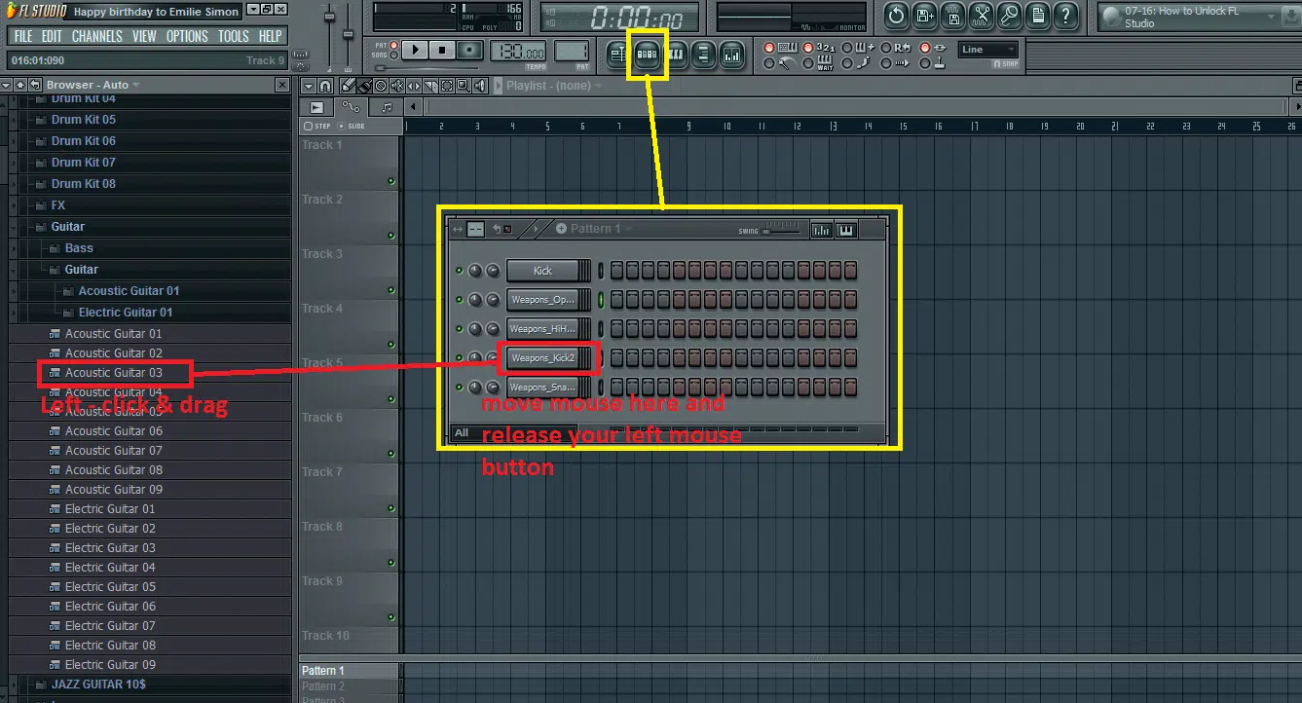
Now choose samples from your sample/loop panel and drag and drop them to the drum panel like I did above (RED).
Now we can create a simple drum like this:
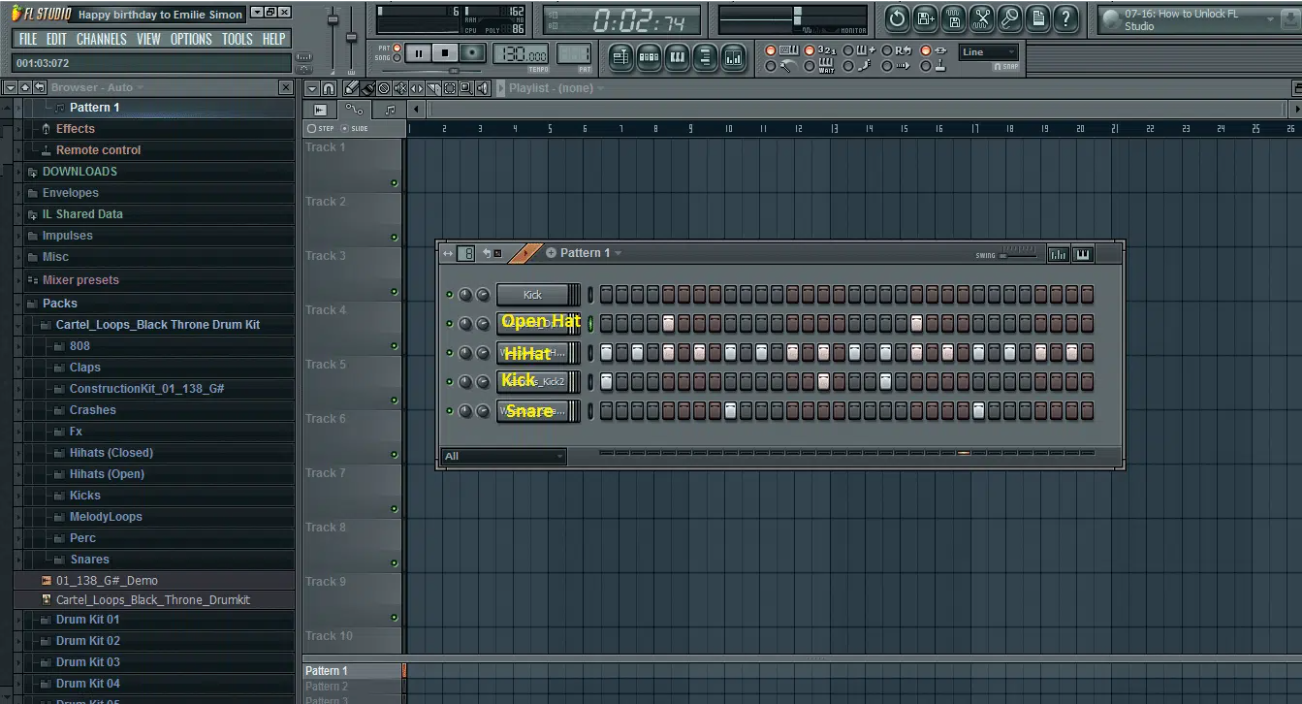
Okay, now we have the drum pattern to our rap instrumental done.
Let’s build a melody to our rap instrumental.
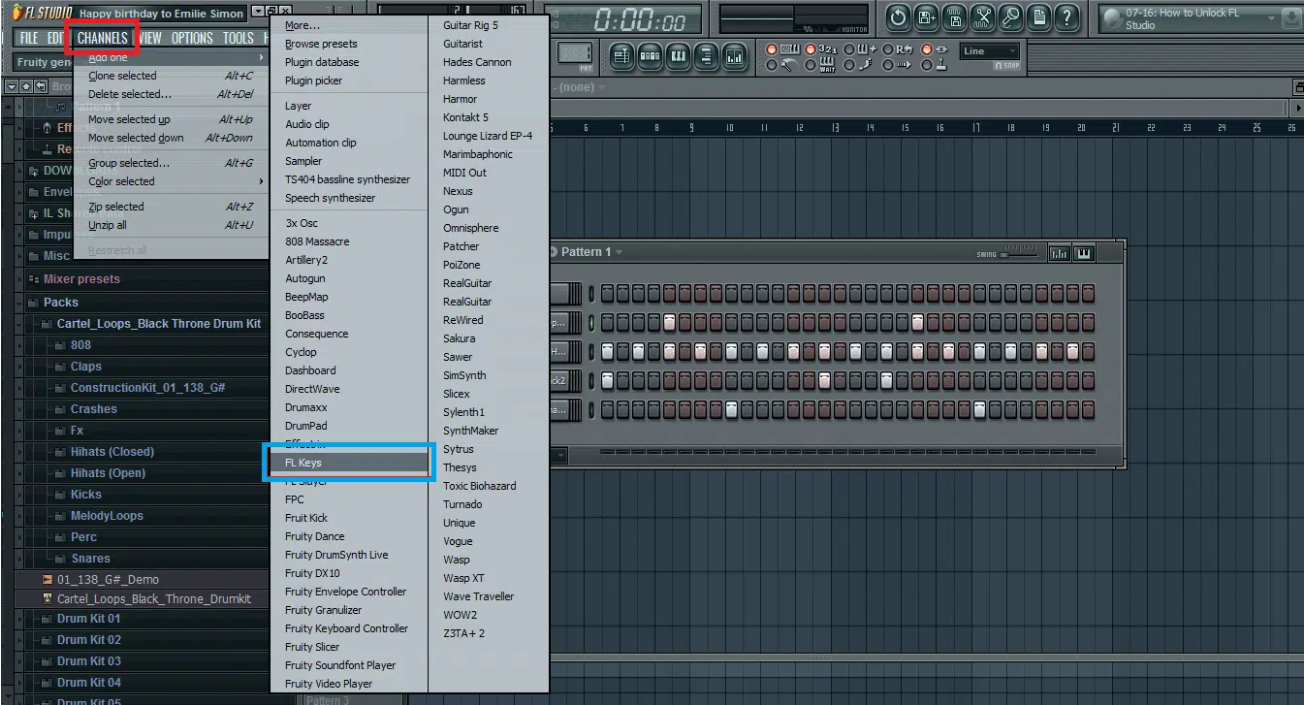
Right-click on “Channel”(RED) in the main menu select “Add one”(BLUE) and then select a plugin you want to use.
For our rap beat, I will use a plugin named “Fl keys”. Check the image below to see how it has to be done:
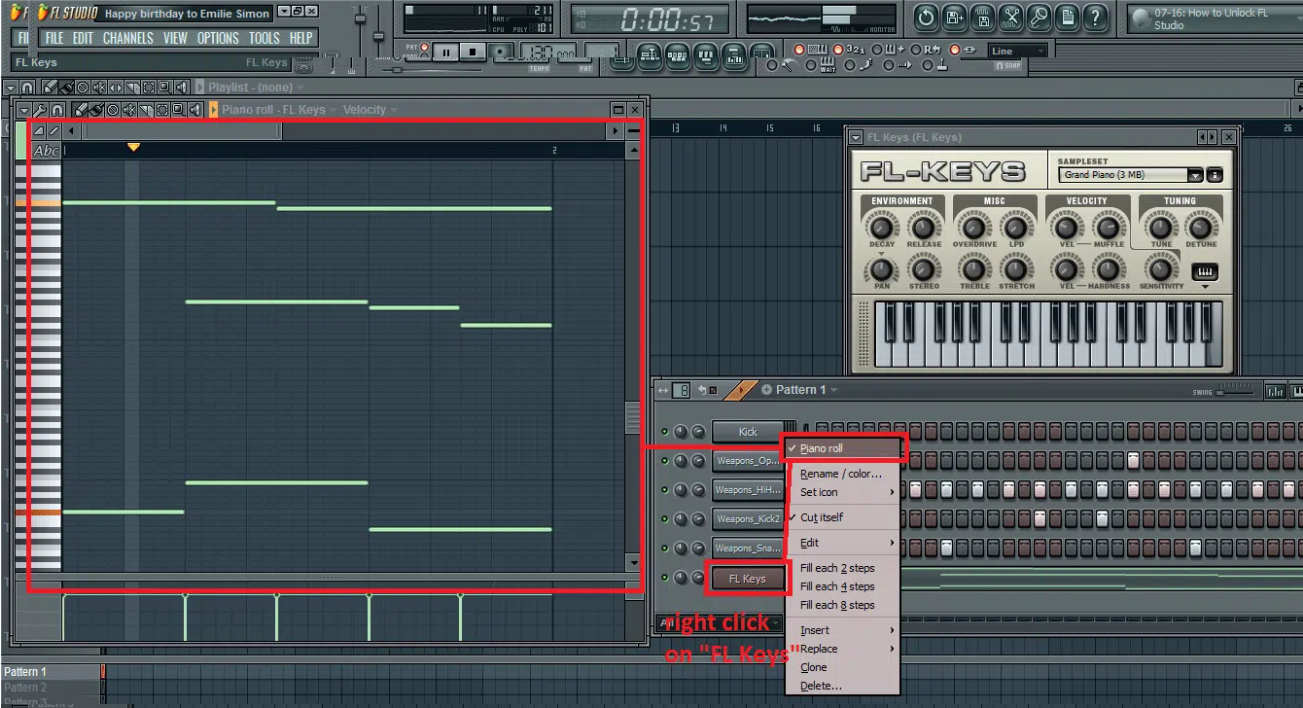
Now when the plugin will show – right-click on it and select piano roll (see image below) (RED). The piano roll will show. I created a simple melody for that rap beat you can copy and use:
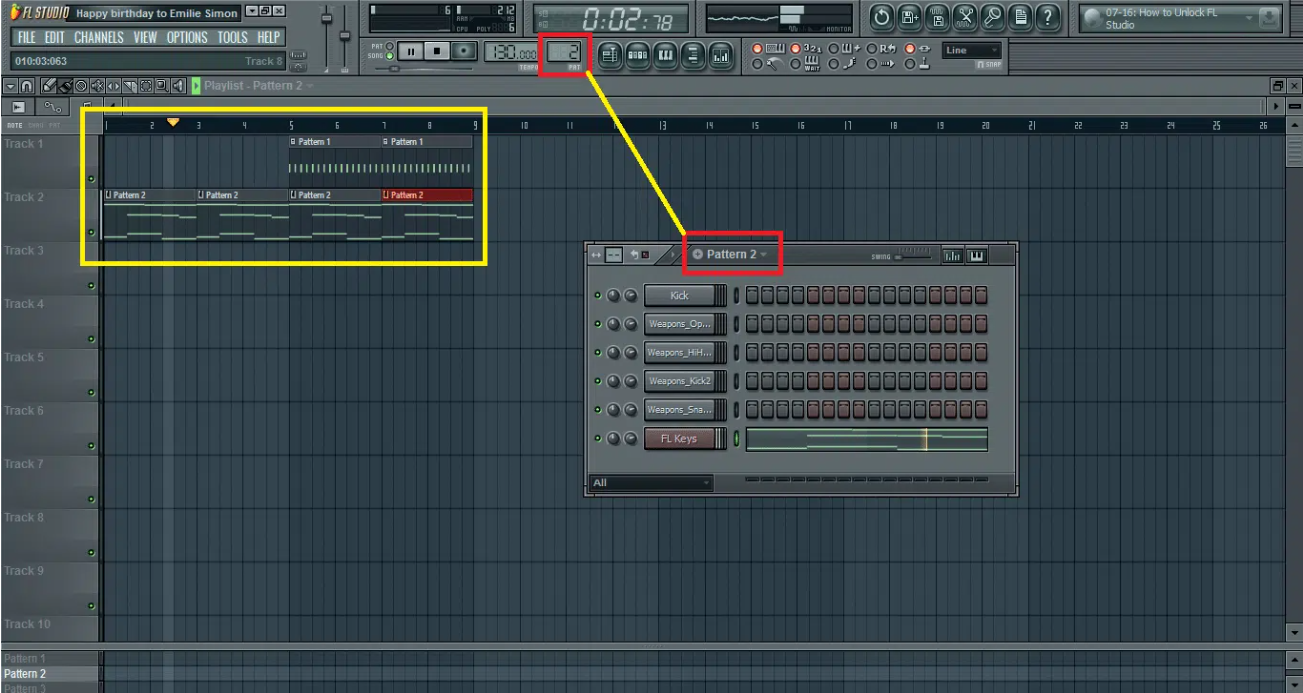
If you use a newer version of Fl Studio you won’t have that pattern panel on the bottom of your Fl Studio. You can change the pattern like in the picture below (RED).
To change the pattern just click on (RED) and select a pattern. You can also cut (Ctrl+X) the melody and paste it (Ctrl+V) to a different pattern and fill the playlist in a different way like this:
Now let’s add some bass to this rap instrumental, shall we? You can select a sample of 808 or you can choose a bass plugin such as 3osc or BooBass.
I will show you my secret method on how to create bass using 808 samples.
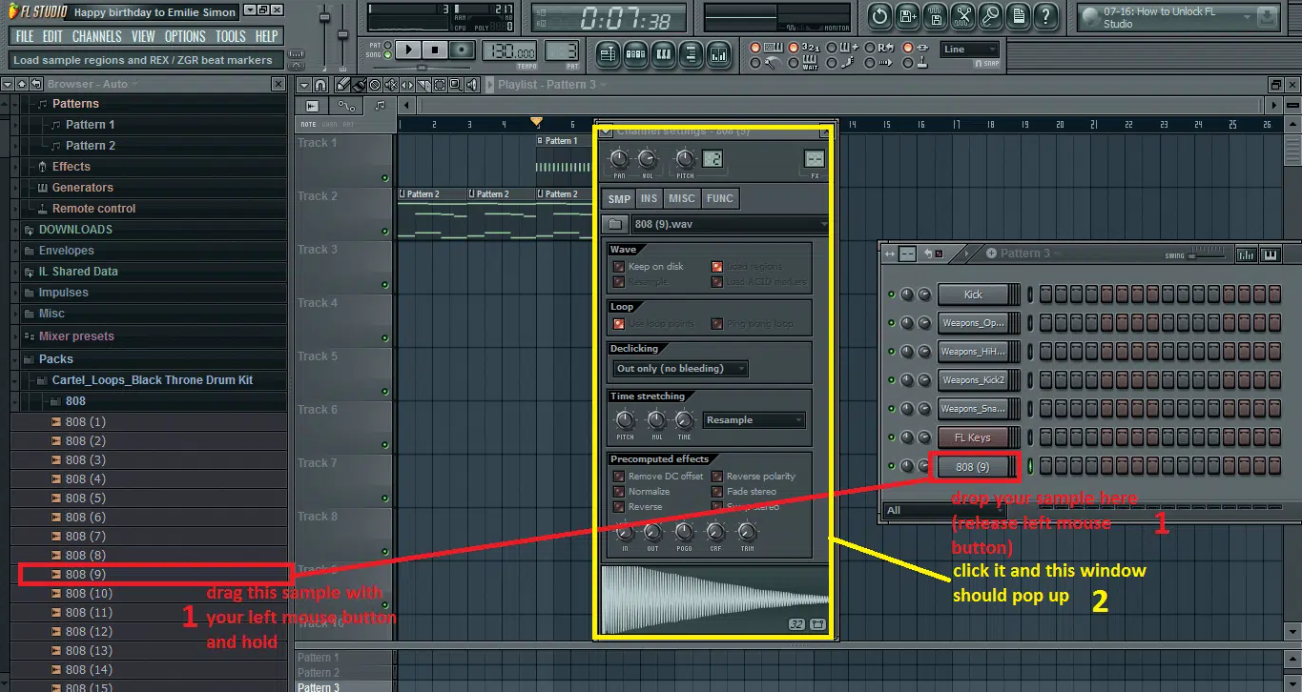
Select a sample from your library (left side). Then drag and drop the selected bass sample on your drum pattern (1)(RED).
Now move to pattern 3 (See the previous image with red color to see where you can change patterns). Now click the bass sample on your pattern panel. (2)(YELLOW).
Ok now, see the image below and click “INS” in your 808 window (RED). Then select the “VOL” category (LIGHT BLUE).
Next is to change parameters from the left box (BLACK) to the right box (WHITE). All parameters should look like this (YELLOW):
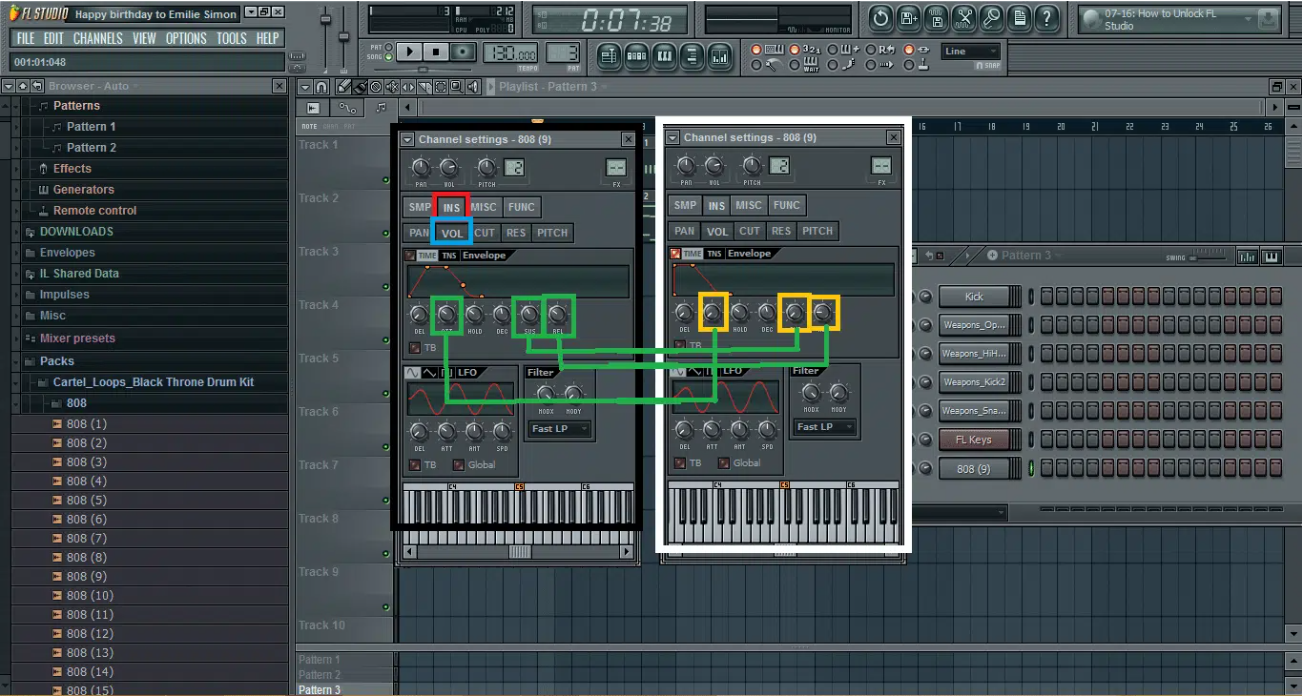
Okay, now we have more control over our 808 bass sample.
We can now select the “Piano Roll” window and create our bass which should look like this:
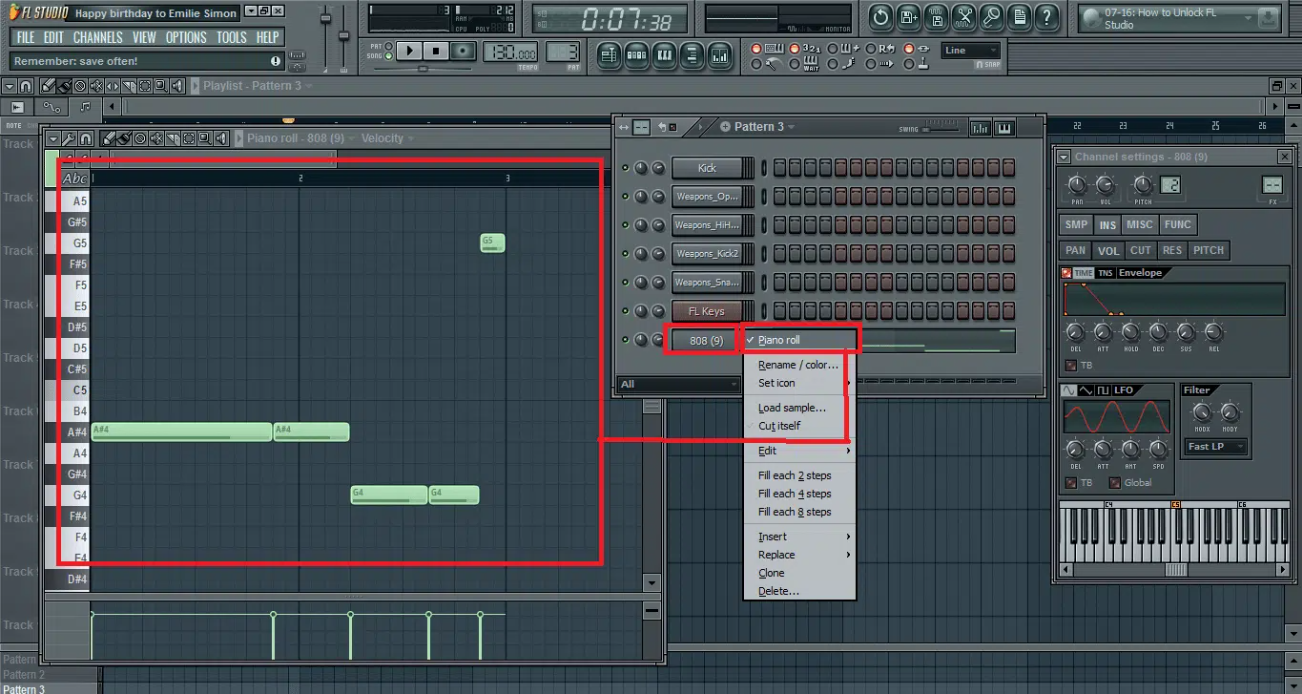
Remember that the bass needs to fit the melody harmony scale. You can read about music scales here:
[ LINK: http://forbidden-fruity.blogspot.com/2009/10/scales-modes-chord-progressions-and.html ]
Ok now with our bass created you can now place your Pattern 3 into a playlist and play your beat:
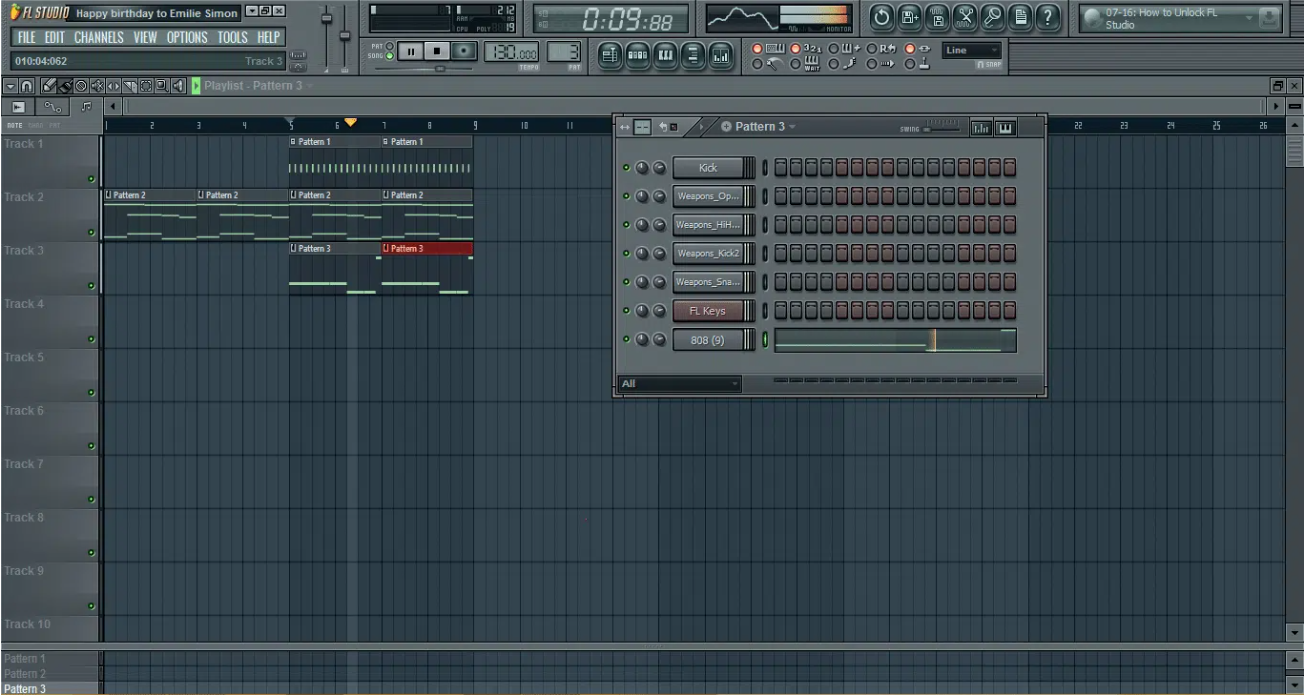
Ok, so now you know how to create drum patterns, bass, and simple melodies. Play with this and try to create 1 more melody to make your rap beat full.
You can also download this project with all the samples I used in a zipped file below. If you use a newer version of FL Studio it should work. The newest version of Fl studio looks pretty similar so you won’t have any problems finding tools.
[ LINK: https://drive.google.com/open?id=1IC40iZ8YksarloGvRhopHsgCEbcUyqGF ]
Congrats! You just created your first rap instrumental using FL Studio. Hope this was helpful.

HEY, I’M PAWEL AKA LAZY RIDA…
Hi! I am Pawel from Lazy Rida Beats.
Our company is based in Poland.
We specialize in composing professional
rap beats in genres like old school, West Coast,
new school, trap, club, gangsta, orchestral,
afrotrap, dancehall, R&B, etc.
I have more than 13 years of experience
in music composition and business.
I am happy to welcome you to our website.


GET 4 FREE BEATS WITH COMMERCIAL RIGHTS
Quick links
Quick links